Top 6 Twogle.com Alternatives in 2026

Top 6 Twogle.com Alternatives in 2026
Finding a couples messaging app that makes daily check ins easy without turning routine contact into a chore challenges most partners. Many apps focus on long conversations, complex scheduling, or general social features, which make fast, meaningful connection feel effortful or buried. This comparison shows which alternatives prioritize ease of use, daily reminders, and shared experiences so couples can match one to their habits.
Table of Contents
Pingher
At a Glance
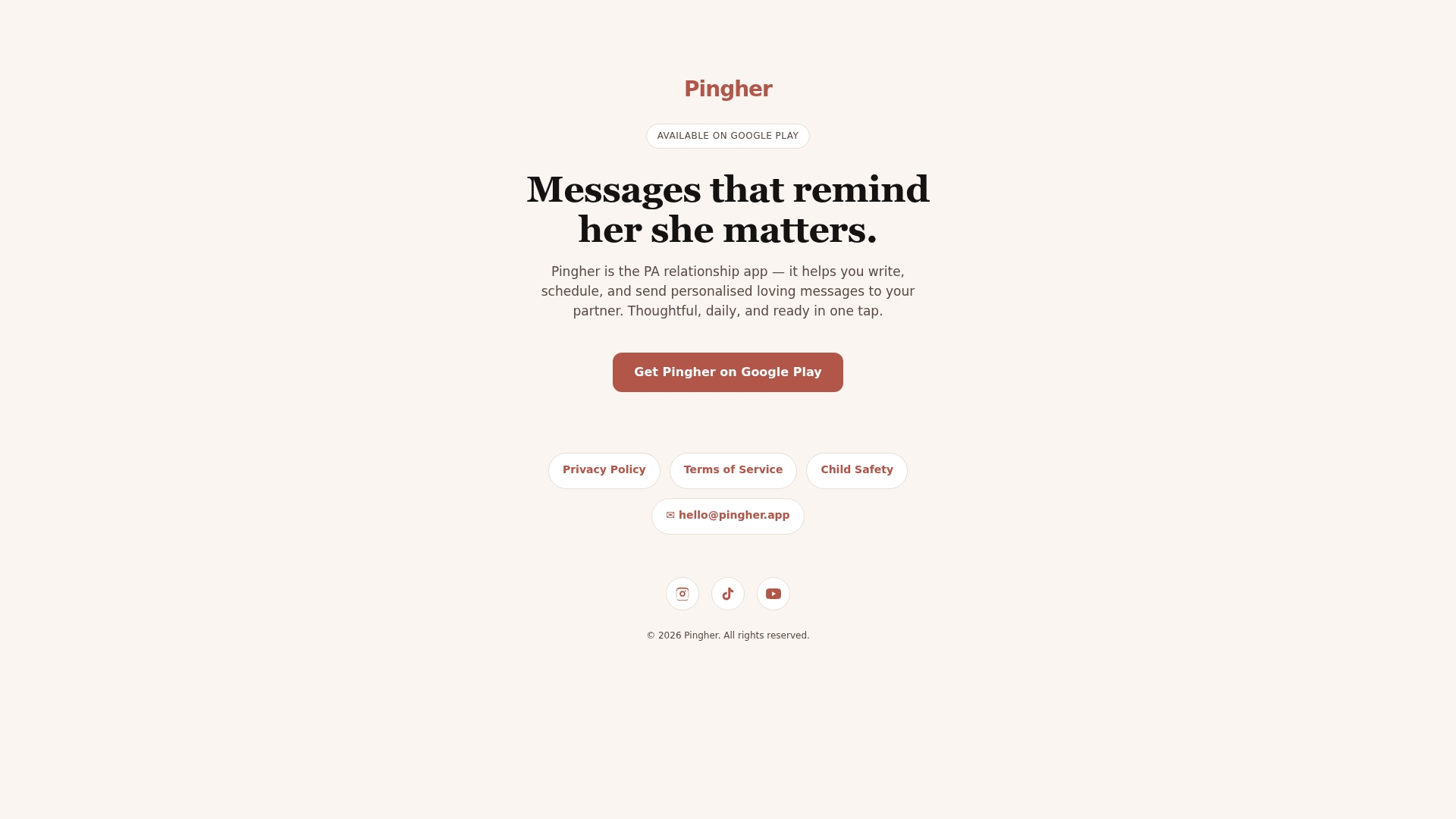
You can prepare a week of loving messages and have them sent automatically each morning. Pingher targets adults in committed romantic relationships and runs on mobile through Google Play. The app uses simple one tap messaging and scheduling, so users can express appreciation daily with very little time needed.
Core Features
Pingher lets you write, schedule, and send personalized messages from a mobile device, and it centers on quick, repeatable interaction rather than long composition sessions. The interface emphasizes one tap messaging and simple scheduling controls so planning a sequence of messages takes minutes. The app is available on Google Play and focuses on messaging specifically between romantic partners.
Key Differentiator
Pingher’s design prioritizes committed couples rather than groups or general social messaging. The app packs message drafting, scheduling, and one tap sending into the mobile flow to remove friction around regular check ins. That narrow focus means feature choices and wording skew toward daily encouragement and short affectionate notes instead of broader relationship management tools.
Pros
Pingher is easy to use and reduces the friction of staying in touch when schedules are busy. The mobile-first workflow and one tap send make it practical to prepare messages in batches and keep daily contact. Because it concentrates on personalized, scheduled messages, it supports repeated small gestures that help partners feel noticed and appreciated without asking for long daily effort.
Cons
- Only supports messaging within romantic relationships and does not include broader relationship management features.
Who It’s For
Adults in committed romantic relationships who want a low-effort way to keep regular emotional contact will get the most from Pingher. People who prefer mobile tools and like preparing messages ahead of time will find the scheduling flow useful. Those looking for shared calendars, task tracking, or social features should look elsewhere.
Unique Value Proposition
You can prepare and queue a week of messages in a single session because Pingher combines message drafting with mobile scheduling and one tap sending. That workflow turns occasional spare minutes into a consistent daily practice of showing appreciation. For couples who struggle to find time, this reduces decision fatigue and keeps communication steady without extra weekly effort.
Real World Use Case
A commuter spends Sunday evening writing seven short notes and schedules them to arrive each morning at 8 AM. The partner gets a daily message during a busy work week and notices repeated encouragement. The sender avoids composing messages every morning while maintaining a visible, regular habit of care.
Website: https://pingher.app
Paired
At a Glance
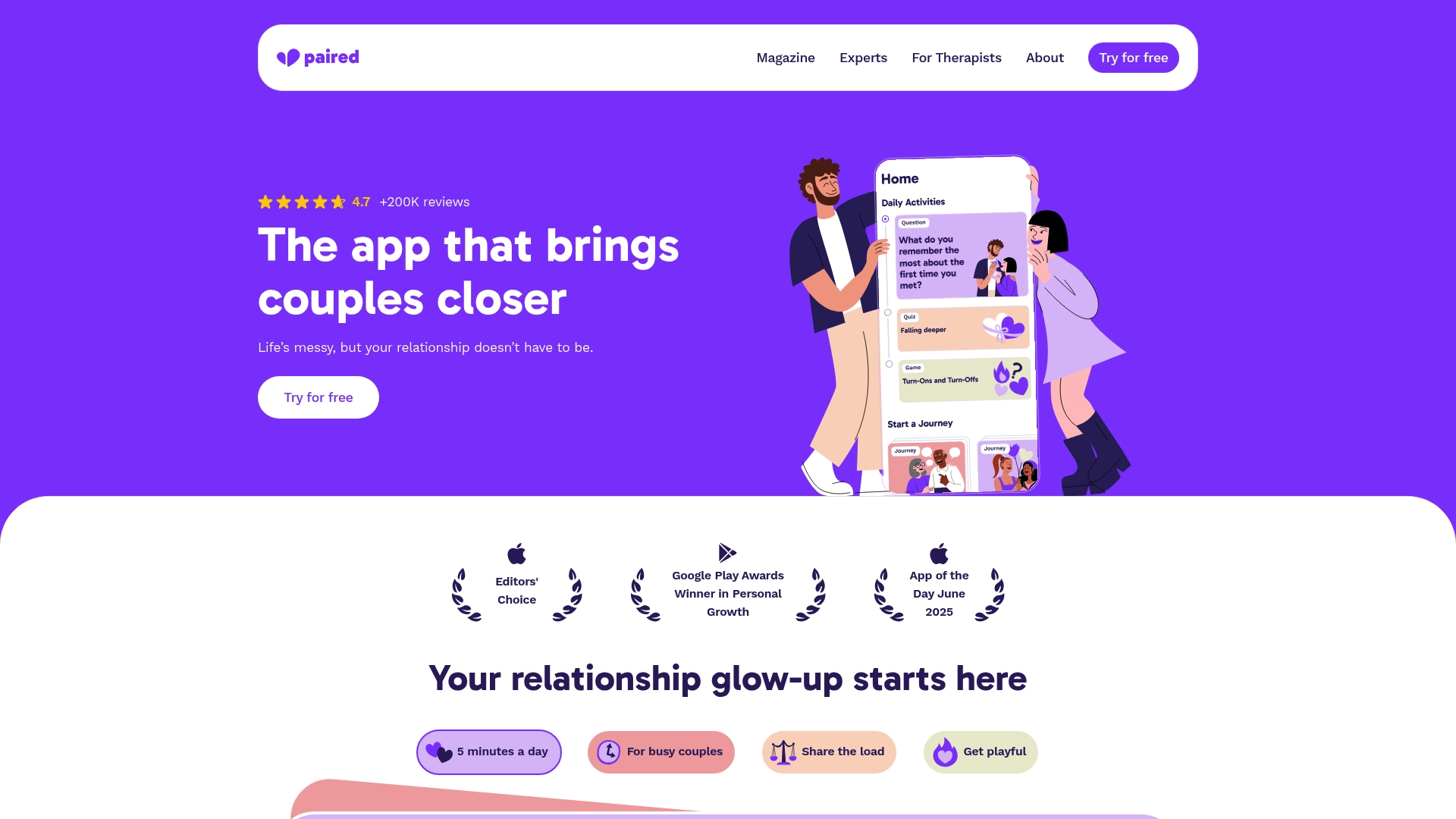
Paired reports more than 200,000 reviews and a 4.7 average rating. The app packages short check ins, playful quizzes, and expert-written prompts into daily minutes. It targets busy couples who want repeatable, low-effort ways to stay emotionally connected.
Core Features
Paired centers on Daily check-ins that prompt quick responses from both partners, and it pairs those with expert-led quizzes and games that reveal conversation starters. The app also carries articles and advice from licensed professionals and formats activities for brief use during a hectic day. Activities emphasize emotional closeness and lighthearted interaction rather than long therapy sessions.
Key Differentiator
Paired focuses on short, expert-developed activities shaped for busy schedules. The app packages relationship science into micro routines couples can complete in minutes, making daily consistency realistic for two people juggling work and family.
Pros
Paired mixes research-informed prompts with lightweight mechanics that encourage repeat use. The app benefits from expert involvement and received awards and press attention, which supports its credibility and mainstream recognition. Positive member testimonials emphasize improved daily conversation and more playful interaction between partners.
Cons
- Some public pages return a page not found error, which makes it hard to confirm feature lists or member support options. This gap reduces transparency for newcomers.
- The site offers limited detail about community moderation, member safety, or group features, which matters to couples who want peer forums or moderated discussions.
- The product data lists few integrations or companion services, so couples who want connected tools for scheduling or shared calendars may need separate apps.
Who It’s For
This app fits busy couples who prefer short, structured touch points over long exercises. Couples who want expert-informed prompts and playful quizzes will get the most value. It suits partners who can commit to daily two to five minute interactions.
Real World Use Case
A couple with opposite work schedules sets a five minute nightly check in. One partner answers a prompt and the other replies later that evening. Over weeks the prompts guide new conversations and reduce repeated small annoyances by making them easier to raise gently.
Website: https://paired.com
LoveWick
At a Glance
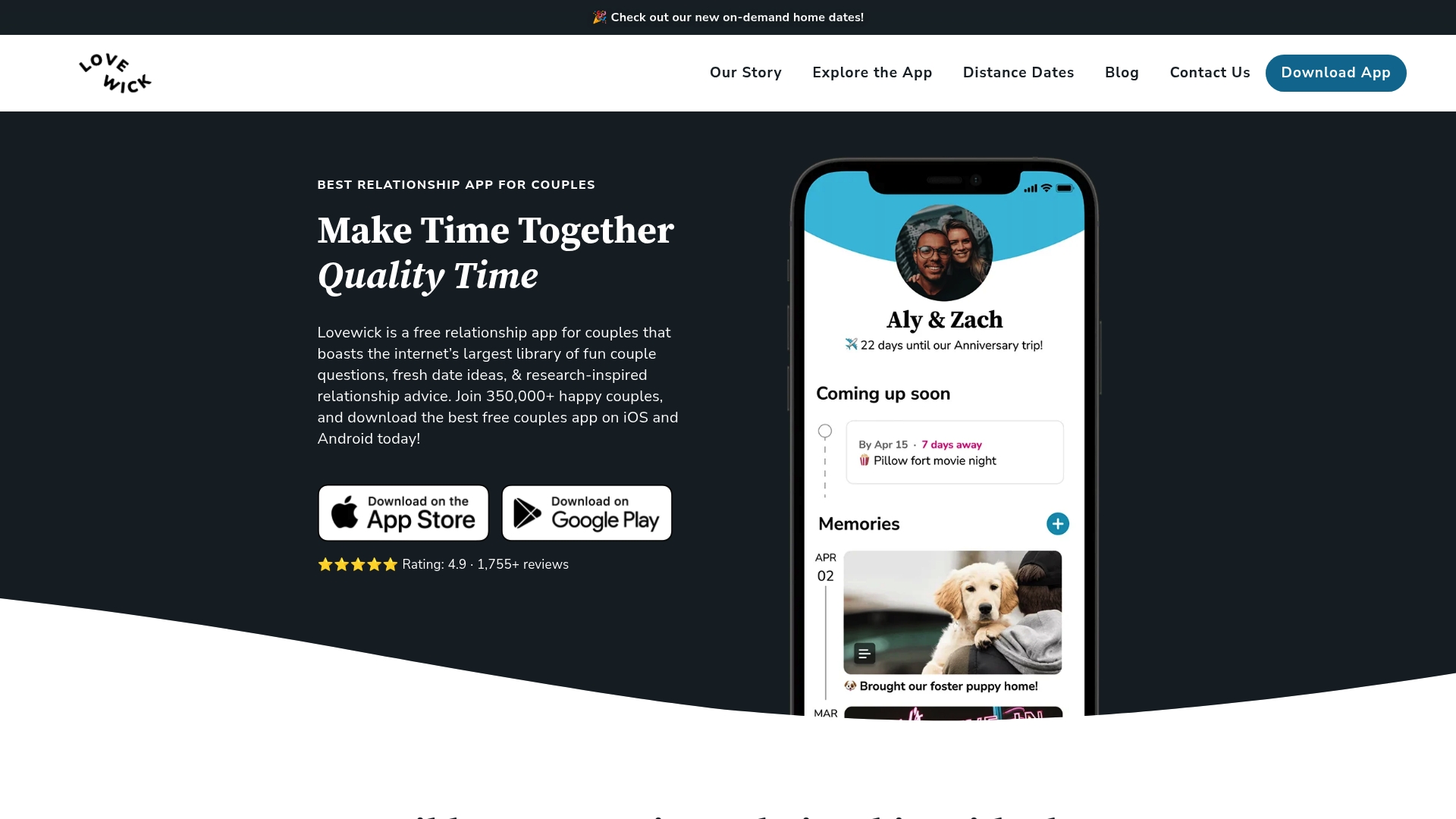
LoveWick reports a 4.9-star rating. The app offers core features for free and an optional premium plan for $2.50/month. It bundles question cards, date planners, reminders, shared lists, mood trackers, and memory scrapbooks into one mobile first experience.
Core Features
LoveWick’s question cards and conversational prompts make difficult topics easier to start. Date idea suggestions and a planner help schedule regular time together, while shared task lists and reminders handle logistics. Memory scrapbooks, relationship counters, mood tracking, and personalized notes record milestones and emotional patterns over time.
Key Differentiator
LoveWick combines research backed content with community contributions to keep prompts fresh and inclusive. The app focuses on playful activities and shared interaction rather than therapist led coaching or single message nudges. That emphasis suits couples who want varied shared activities and content without a required subscription.
Pros
Free core features lower the barrier to trying the app, while an affordable premium tier unlocks extras. Research inspired content and community sourced ideas provide diverse prompts that fit different relationship stages and backgrounds. The mobile design keeps activities and planning in one place, and that rating suggests many couples find it useful.
Cons
- Premium subscription required for unlimited access to certain cards and planners.
- Users seeking therapist led or heavily personalized guidance may find the app too general.
- Offline capability is limited, so features depend on an internet connection when traveling or in low service areas.
When It May Not Fit
Couples without smartphones will not get the full experience because LoveWick is mobile first and has limited offline features. If you need therapist backed, tailored exercises, the app may feel generic compared with clinician led programs. Heavy users who want unlimited content may prefer a platform with broader free access or deeper personalization options.
Who It’s For
Couples who want a free, all in one toolkit for communication, planning, and shared memories will benefit most. Long distance partners can use the question cards and reminders to keep regular contact and shared rituals. People preparing for marriage or maintaining a long term relationship will find the research driven prompts helpful.
Real World Use Case
A couple uses LoveWick each evening to pick a question card, log a mood, and add a photo to their memory scrapbook. They set reminders for anniversaries and use shared lists to split chores before planned date nights. Over months, those small routines reveal patterns and create a timeline of relationship milestones.
Pricing
LoveWick is free to download and use for core features. Optional premium costs $2.50/month and unlocks unlimited access to certain content and planning tools. That low monthly price keeps premium features affordable for couples who want extras.
Website: https://lovewick.com
Couple Joy
At a Glance
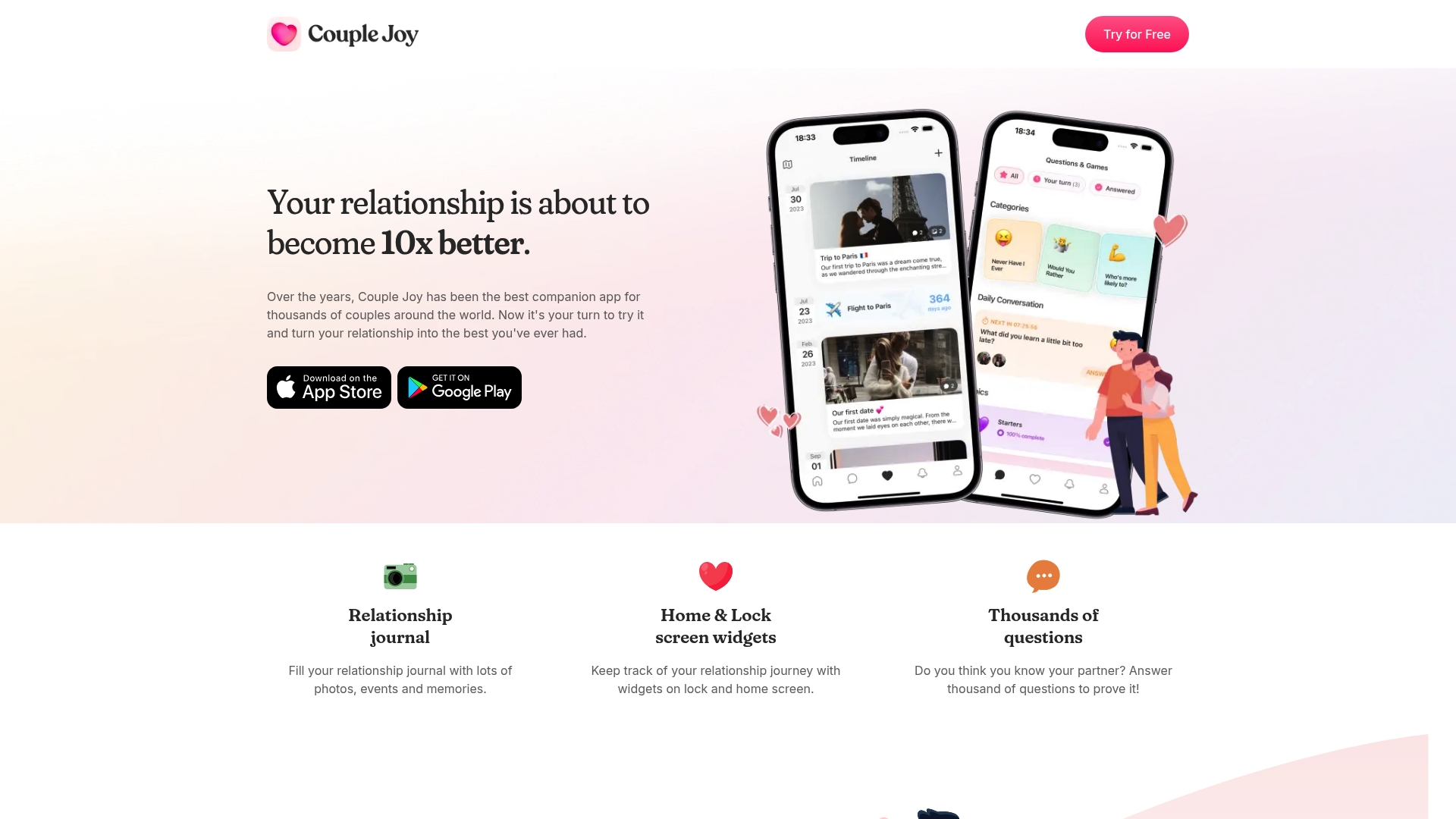
Home and lock screen widgets display days together, upcoming events, and saved memories. The app pairs a relationship journal for photos, events, and notes with daily prompts that encourage short check ins, so it keeps moments and conversations visible on your phone. Thousands of conversation prompts cover deep, playful, and spicy topics to keep check ins fresh. This focus on small daily interactions targets couples who want regular, low friction connection.
Core Features
Couple Joy centers on a relationship journal that stores photos, events, and memories alongside short entries and prompts. The app offers home & lock screen widgets that show days together, upcoming events, and highlighted memories to nudge daily interaction. It also includes thousands of curated questions and quizzes plus articles and idea prompts to spark conversation and light activities.
Key Differentiator
Couple Joy concentrates on persistent, glanceable reminders and question-driven interaction that fit into daily life. The combination of visible widgets and a journal means memories live on the phone home screen rather than buried inside the app. That design makes daily prompts and milestones hard to ignore for couples who want small, steady touch points.
Pros
Couples praise the quality of the question sets and the variety of prompts, which helps conversations move past small talk. The widgets make anniversaries and upcoming events obvious without opening the app, so partners notice dates and shared memories more often. The journal encourages saving photos and notes in one place, which supports memory keeping and recurring conversations. The interface is widely described as friendly and easy to use, reducing friction for partners who prefer quick interactions.
Cons
- Limited to couples who want daily engagement and activities. This app favors regular check ins and may not suit relationships that prefer less frequent touch points.
- Some users ask for more personalization or customization options beyond the existing prompts and layouts.
- The question focus can feel repetitive over time for couples who answer the same prompts without variation.
When It May Not Fit
Couples who rarely use apps or who do not both participate will get little value. The app requires active, ongoing participation from both partners for the prompts and widgets to create momentum. It does not replace professional counseling for serious relationship issues.
Who It’s For
Couples looking for daily, lightweight ways to deepen communication and track shared memories will find this app useful. Partners who value ritualized check ins, milestone reminders, and a joint photo journal will gain the most. It suits people who want guided prompts rather than open ended chat starters.
Real World Use Case
A pair uses Couple Joy each evening for five minutes. One partner answers that day’s question while the other adds a photo from a weekend outing to the journal. The widgets flag an upcoming date and a saved memory, which prompts a short conversation and a shared plan.
Website: https://couplejoyapp.com
Cupla
At a Glance
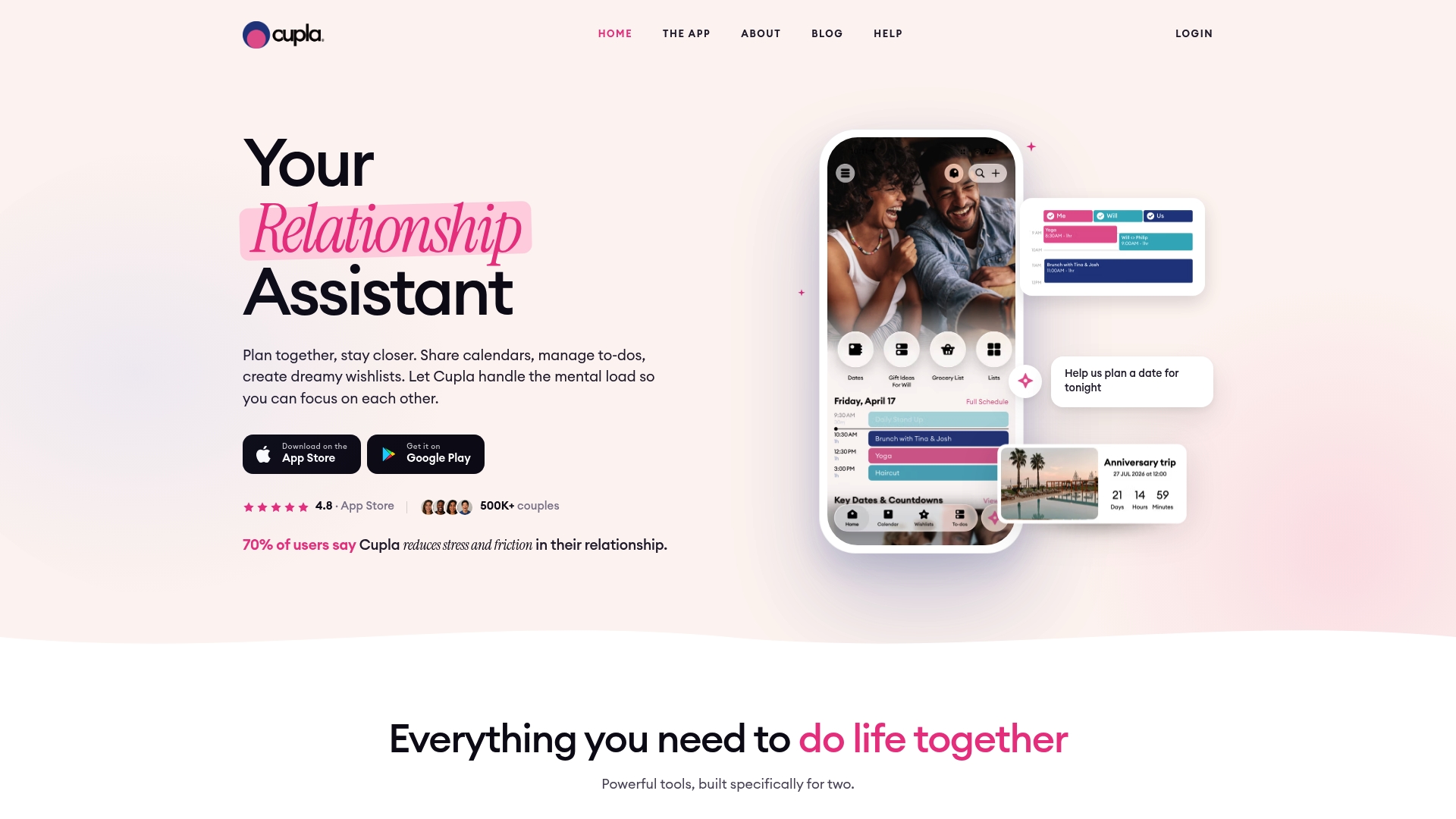
Cupla includes a built-in Cupla AI assistant for planning dates, finding free time, and managing the relationship load. The app consolidates calendars, to-dos, date planning, and countdowns into a single interface, so the basic app is free to download and use, with additional features mentioned by the vendor. That focus keeps everyday planning in one place for two people.
Core Features
Shared calendar syncing pulls events from Google Calendar, Apple Calendar, and Outlook Calendar into a single couple view while respecting device calendars. Shared to-do lists include priorities, labels, and reminders and link to a date planner that tracks goals, reminders, and memories. Key dates and countdowns let couples mark anniversaries and milestones without juggling separate apps.
Key Differentiator
Cupla centers every feature on two people rather than individual accounts. The app bundles scheduling, task lists, memory keeping, and a date planning assistant into one interface built around shared life tasks and milestones.
Pros
Design choices target couple workflows so routine tasks stay coordinated without extra apps. Integrated calendar syncing reduces double booking by pulling events from major calendar providers. Built-in tools cover everyday chores, weekly date planning, and milestone reminders in the same place. The vendor’s user surveys report improved communication and increased quality time.
Cons
- No clear statement of paid plans or premium features, so advanced customization and extra functionality are unclear.
- Privacy and security practices are minimally described, which may trouble people storing sensitive relationship details.
- Reliance on device calendars for syncing could limit support for complex multiaccount setups.
When It May Not Fit
If you need enterprise style privacy controls or formal security certifications, Cupla may not meet that requirement. Couples who want deep customization or feature tiers with clear paid options may find the app lacking. Teams or households with more than two active planners will likely outgrow a two person design.
Notable Integrations
Cupla connects to Google Calendar, Apple Calendar, and Outlook Calendar for event syncing and availability checks.
Who It’s For
Busy couples who want one place to coordinate schedules, plan dates, and track household tasks will get the most from Cupla. Long-distance pairs who need a shared planner and countdowns will appreciate the memory and milestone features. Partners who prefer a two person focus rather than repurposed solo tools will find the interface more natural.
Real World Use Case
A couple syncs both phones to Cupla, adds shared grocery and bill tasks, and blocks weekly date night in the shared calendar. They use the date planner to set a goal for one new experience per month and keep a running wishlist for trips. Countdown reminders surface anniversaries so neither partner misses important dates.
Website: https://cupla.app
Coumo
At a Glance
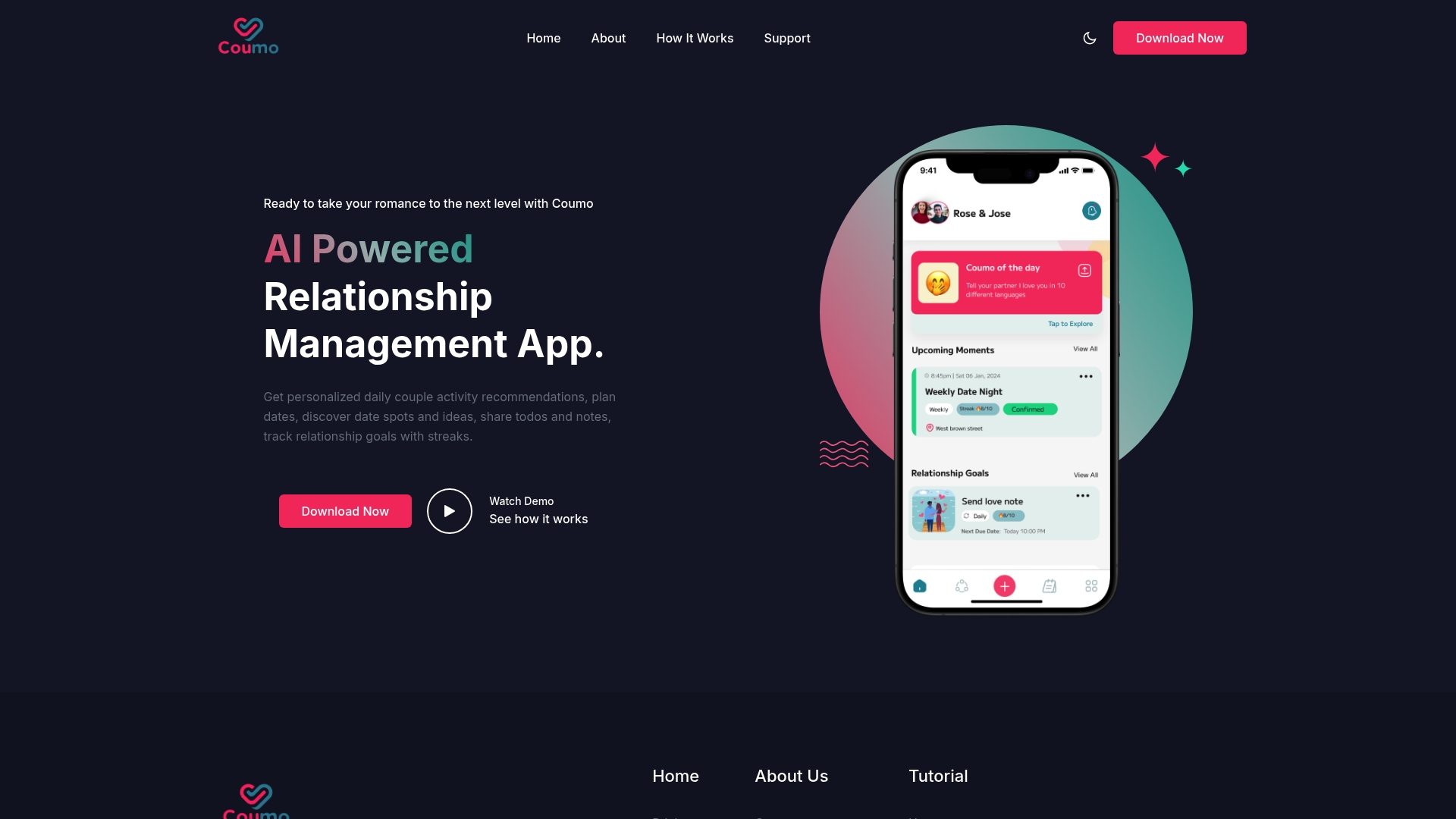
Personalized daily activity suggestions and a streak tracker form Coumo’s most visible features. The app pairs date planning and discovery with shared notes and todos to keep couples organized. A short visual demo shows the interface and highlights mobile-first workflows aimed at everyday use.
Core Features
Coumo generates personalized daily couple activity recommendations and presents curated date ideas tied to nearby spots. It offers shared todos and notes for planning and a goal tracker that records streaks to motivate regular interaction. The interface emphasizes clarity with a visual demo that helps new couples adopt the app quickly.
Key Differentiator
Coumo centers on activity suggestions plus streak-based goal tracking to turn small gestures into regular habits. That focus differs from Pingher’s one-tap messaging approach by prioritizing joint planning and measurable daily rituals over message composition. Couples who want prompts and shared task tracking will notice the difference immediately.
Pros
Coumo encourages consistent connection through tailored suggestions and a visible streak system that motivates repeat actions. The shared notes and todos make coordinating dates and responsibilities straightforward, and the visual demo shortens the learning curve for mobile users. The feature set keeps planning, discovery, and goal tracking inside one app for couples.
Cons
-
Limited audience: Primarily useful for romantic couples, not singles or general social groups.
-
Reliant on user input: Suggestions improve only if both partners add preferences and feedback.
-
Pricing unclear: Public details on subscription tiers or fees are not provided.
When It May Not Fit
If you are single or managing nonromantic relationships, this app will feel narrowly focused. If you expect instant ideas without entering preferences, the dependence on user input will frustrate you. Teams or family use cases fall outside the design intent and will lack needed features.
Who It’s For
Couples who want active, daily tools to maintain connection will benefit most. This includes partners who enjoy planning shared outings, tracking progress toward relationship goals, and using mobile workflows to coordinate tasks and reminders.
Real World Use Case
A couple opens Coumo each morning. The app suggests a short activity, logs a completed streak, and adds a date idea to a shared todo. They use notes to capture plans and mark milestones as they progress.
Pricing
Not applicable. The vendor lists the product as informational only, and public pricing or subscription details are not listed. The app may use free features or in-app purchases.
Website: https://coumo.com
Comparison of Alternatives
Compared to other messaging apps for couples, Pingher shines in its specialized focus on effortless communication. However, some alternatives offer unique strengths that cater to broader relationship needs or creative engagement styles.
Workflow Optimization
Pingher outpaces competitors by streamlining message drafting and scheduling. Its design simplifies creating a week’s worth of personalized notes in one session, removing complexity from daily communication routines. In contrast, apps like LoveWick offer a broader scope by combining these functions with tools for event planning, mood tracking, and milestone recording. While Pingher’s workflow focuses on efficiency, LoveWick’s depth provides couples with varied resources for emotional connection and organization.
Depth of Engagement
Paired excels in fostering interactive dialogue via expert-curated prompts and lighthearted quizzes designed for brief but meaningful partner engagements. Its emphasis on two-to-five-minute activities aligns with the needs of couples seeking structured yet enjoyable communication avenues. Meanwhile, Couple Joy’s integration of visible widgets for coupled milestones and daily prompts supports habitual interaction without redundancy. These alternatives contrast with Pingher’s singular emphasis on personalized messages, providing couples with diverse methods for nurturing communication.
Best Fit
- Scheduling regular messages for busy couples without compromising emotional connection is best suited to Pingher.
- Structuring emotional engagement through playful quizzes and expert advice finds its match in Paired.
- Seeking a suite of relationship tools, including planning and tracking, leads discerning couples to LoveWick.
- Partners prioritizing daily rituals through visible shared tools might prefer Couple Joy’s widget-driven approach.
Our Pick
Pingher offers ease for scheduled messages among apps exclusively focused on consistent partner communication. Its streamlined workflow supports low-effort, effective emotional expression. However, couples seeking more management tools or multi-faceted engagement strategies may find alternatives like LoveWick better suited to their needs.
The following table presents a comparison of couples messaging and relationship management apps, highlighting core features, unique differentiators, and considerations for choosing the best option.
| Product | Core Features | Key Differentiator | Pricing | Notable Limitation |
|---|---|---|---|---|
| Pingher | Message scheduling and one-tap sending | Designed exclusively for committed couples | Price not published | Limited to romantic relationships |
| Paired | Daily check-ins, quizzes, and expert prompts | Short, structured activities for busy couples | Price not published | Limited detail on member safety and support |
| LoveWick | Question cards, planners, mood trackers | Combines research-inspired and community ideas | Free; Premium $2.50/month | Requires premium for extended features |
| Couple Joy | Relationship journal, daily prompts, and widgets | Widgets for real-time memory tracking | Price not published | Focus on consistent, daily usage limits flexibility |
| Cupla | Shared calendar, AI planning assistant | Two-person focused coordination tools | Price not published | Privacy and premium feature clarity limited |
| Coumo | Activity suggestions and streak tracking | Focused on daily connection habits | Price not published | Relies heavily on user input for suggestions |
Keeping Emotional Connection Simple Amid Twogle.com Alternatives
Many adults in committed romantic relationships struggle to maintain daily emotional contact due to busy schedules and decision fatigue. Pingher addresses this problem by letting users prepare personalized messages in advance and send them with a single tap. This makes showing appreciation effortless and consistent, helping couples feel noticed and valued without spending extra time.
Pingher’s focus on quick, scheduled messaging matches the need for low-effort, repeatable encouragement outlined among top twogle.com alternatives. Visit Pingher to see how its one-tap functionality can ease your daily communication. Prepare a week of loving notes in minutes and keep your connection strong throughout the busy days ahead.
FAQ
How does Pingher support daily messaging?
Pingher enables users to prepare and schedule a week’s worth of loving messages for automatic delivery each morning. The app’s focus on quick, repeatable interaction allows users to express appreciation without needing long daily efforts, making it especially suitable for busy couples.
What is the difference between Pingher and LoveWick?
LoveWick offers a broader range of features, including question cards, date planners, and mood trackers. Pingher specifically targets couples who want a straightforward way to send affectionate messages, streamlining the effort needed to maintain daily emotional contact.
Which platform is easier to use for quick interactions?
Pingher is designed for easy one-tap messaging and scheduling, making it practical for users to prepare messages quickly. This mobile-first approach focuses on reducing friction around regular check-ins, which supports busy couples needing a low-effort way to stay in touch.
Can I utilize Pingher effectively if my partner has a busy schedule?
Yes, Pingher allows users to schedule messages ahead of time, ensuring consistent contact even with busy schedules. This feature benefits couples who may not have the chance to send messages daily, helping them maintain emotional connection without extra effort.
What are the costs associated with Pingher?
Pingher’s pricing details were not specified in the article, so it’s best to visit their site for any associated costs. Given its focus on personalized messaging, it likely offers features that provide value for couples looking for consistent communication.
Recommended
Built for couples who care.
Pingher helps you send the right words at the right moment.
Get Pingher on Google Play